
Stop Guessing—End-of-Line Performance Just Got 100% Transparent
Stop guessing and bring complete clarity to your end-of-line performance. End-of-line testing is the final, most critical quality gate before shipment, protecting product quality, lowering warranty risk, and strengthening customer trust. By identifying critical requirements, applying the right test methods, and setting data-driven pass/fail limits with full traceability, manufacturers can build a smarter, more reliable EOL strategy. From electrical and leak testing to vision inspection, dimensional checks, and functional validation, today’s integrated EOL systems combine fixtures, controls, software, and material handling into one coordinated process. More than a defect detector, EOL testing turns every result into actionable insight, exposing yield trends, failure patterns, and process correlations that support continuous improvement upstream. With proper cycle-time planning, GR&R validation, and ongoing calibration, EOL performance becomes fully transparent, accurate, and ready to drive better decisions.
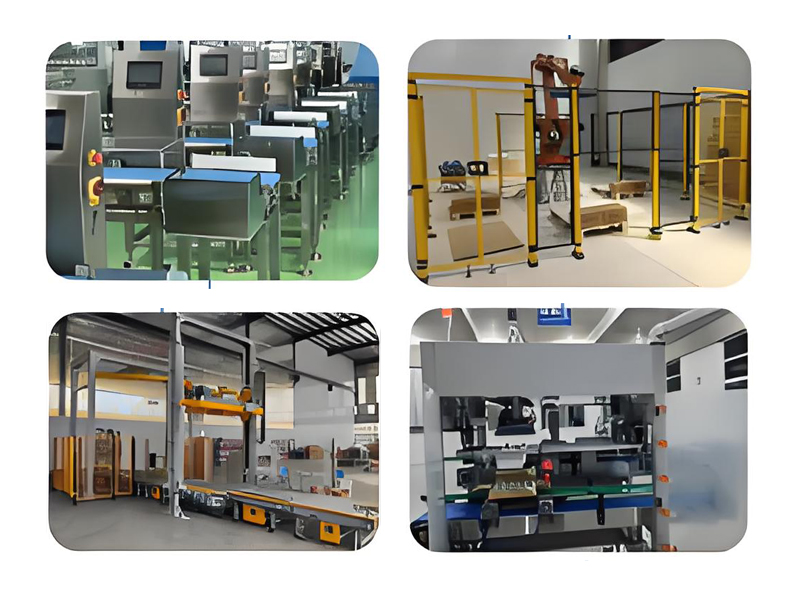
See Every End-of-Line Win—No More Guesswork
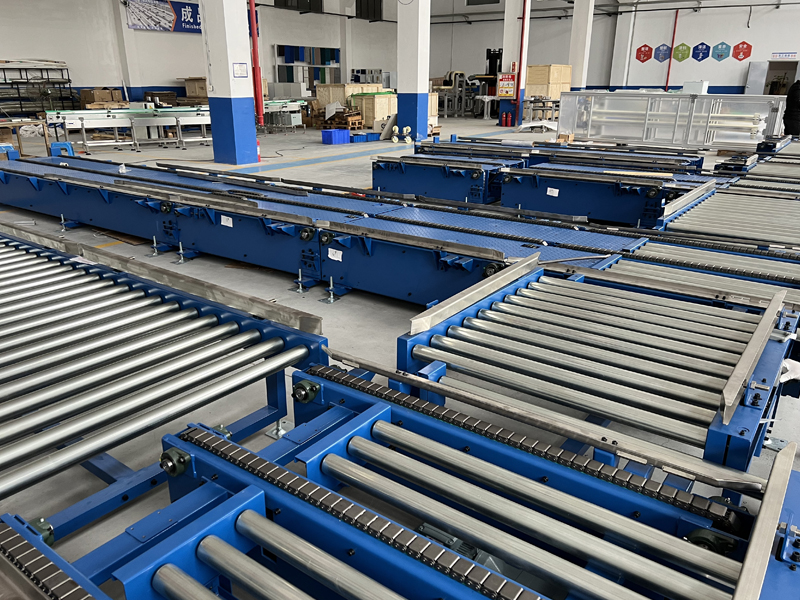
I have spent enough time around end-of-line work to know one thing: most problems do not start big. They start small.
A carton lands with the wrong label.
A box seal looks fine, but it is a little loose.
A pallet leaves the line, and nobody notices the missing item until a customer calls.
That is where the stress begins. I have seen teams rely on memory, hand checks, and guesswork. It works for a while, then one missed detail turns into a late order, a return, or a long night of rework. I do not like that kind of uncertainty, and I know many teams feel the same.
What I want is simple: I want to see every end-of-line result as it happens. I want a clear view of what passed, what failed, and what needs attention. When I have that, I can stop chasing problems after the fact.
My view is that end-of-line visibility is not just about checking boxes. It is about giving the team a clean picture of the last step before a product leaves the line. That last step matters more than people think.
I remember one packing area where the team kept finding mixed cases at the shipping stage. The line looked busy and stable, so people assumed the process was fine. It was not. The issue came from small label changes during shift handoff. No one saw the pattern at once because the checks were scattered across paper notes and separate screens. Once the team brought all end-of-line data into one view, the problem became easy to spot. The fix was not dramatic. It was practical. That is what I value.
If I want fewer surprises, I start with clear steps.
I look at the final point of the line and ask a few direct questions:
Did the product meet the basic check?
Did the package close the way it should?
Did the label match the order?
Did the count match the plan?
Did the pallet finish the way the customer expects?
These questions may sound simple, but they save time. They keep the team focused on what matters at the edge of the line, where small errors can travel fast.
I also want the data to be easy to read. If I need to dig through five screens to understand one failure, the system is not helping me enough. I prefer a clean layout, clear marks, and plain status updates. Green means pass. Red means stop and check. Yellow means review. That kind of setup helps me act fast without overthinking every step.
There is another piece I care about: trend view.
One failure is a problem.
Three failures in the same spot is a pattern.
When I can see the pattern, I can speak to the line lead with facts, not guesses. I can point to the shift, the station, or the product type. That makes the next move much easier.
I also like tools that fit the way people work. A good end-of-line process should support the team, not slow them down. If the checker spends too much time entering data, the line loses pace. If the alerts are too noisy, people start ignoring them. I have learned that simple and steady usually works better than flashy and hard to use.
My own rule is this: the end of the line should never feel like a blind spot.
When I can see every result clearly, I can protect quality, reduce wasted effort, and keep the day moving with less stress. I do not need more noise. I need better sight.
That is why I trust clear end-of-line visibility. It gives me a better read on what is happening now, not what I hope is happening. And in a busy operation, that difference matters.
Know What’s Working on the Line, Instantly
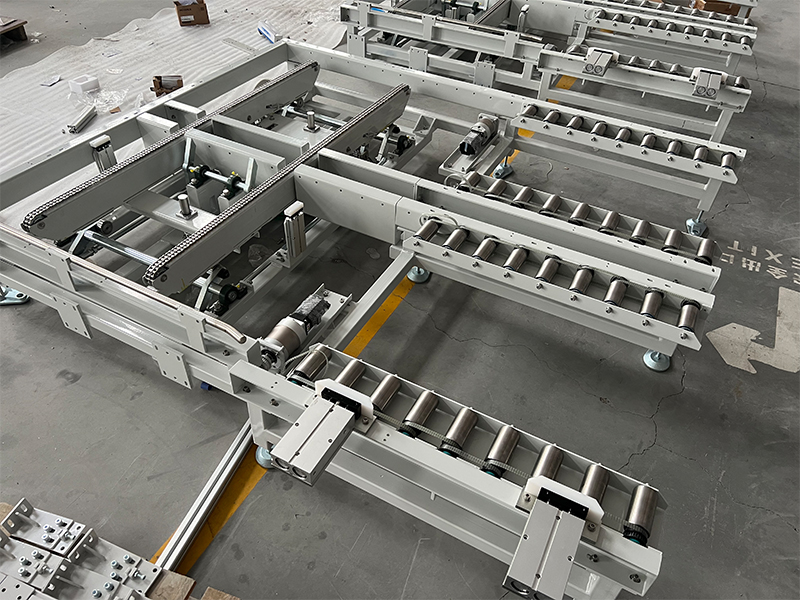
I used to walk the line with one question in my head: what is working right now, and what is slowing us down?
That gap is stressful. A machine looks busy, but one small stop can spread across the whole shift. A sensor gets dirty, a carton jams, a label rolls off center, and I do not see the issue until the output has already dropped. By the time someone tells me, I am no longer fixing a problem. I am chasing it.
What I need is simple.
I need clear line status, live alerts, and a view I can trust without walking back and forth all day. I want to know which station is running, which one is idle, where the bottleneck starts, and what needs attention now. That is the kind of visibility that helps me act fast.
When I look at a production line dashboard, I do not want noise. I want the facts.
Running
Stopped
Waiting for material
Blocked
Quality issue
Maintenance alert
That kind of layout helps me read the line in seconds. It also helps my team stay on the same page. If the packing station slows down, I can see it. If the filler is fine but the labeler is backing things up, I can see that too. I do not need guesses. I need proof on screen.
Here is how I use that kind of system in daily work.
I start with live status at each station.
I check where the line is active and where it is idle.
I look for a pattern, not just a single stop.
I listen to the operators, because they often spot the issue before the screen does.
I act on the alert before the delay grows.
One day on a beverage line, I saw output dip on the dashboard while the rest of the line kept moving. The problem was small at first. A sensor near the capper kept missing bottles for a short stretch. No major alarm. No dramatic shutdown. Just a slow loss of pace that could have gone unnoticed for a long time. We cleaned the sensor, reset the station, and the line returned to normal. Without live visibility, I would have found it much later.
That is why I care about instant line insight.
It saves steps. It cuts waste. It keeps the shift focused.
I also like when the data is easy to explain to the team. A good screen does not just help managers. It helps operators, maintenance staff, and quality checks all work from the same view. When people can see the same line data, they spend less time arguing about what happened. They spend more time fixing it.
I pay attention to three things most of all.
Throughput
If output drops, I want to know where and when it started.
Downtime
If a line stops, I want the reason, the station, and the length of the stop.
Quality
If defects rise, I want the source before more product moves down the line.
These three points tell me if the line is healthy or not. They also help me make better decisions during the shift. I can move staff, check materials, call maintenance, or adjust the schedule based on what I see, not on a guess.
I also think the best line tools respect real work. They should fit into a busy floor, not add more pressure. The screen should be simple. The alert should be clear. The report should be easy to read after the shift ends. If a tool makes my team spend more time entering data than using it, I know it will create new problems.
A good system gives me a cleaner day.
I see the line faster.
I react sooner.
I keep the team aligned.
I spend less time searching and more time solving.
That is what working on the line should feel like. Not confusion. Not delay. Just a clear view of what is running, what needs help, and what action I should take next.
When I can know what is working on the line, instantly, I do not just watch production. I manage it with more control, more calm, and fewer surprises.
Make EOL Performance Crystal Clear
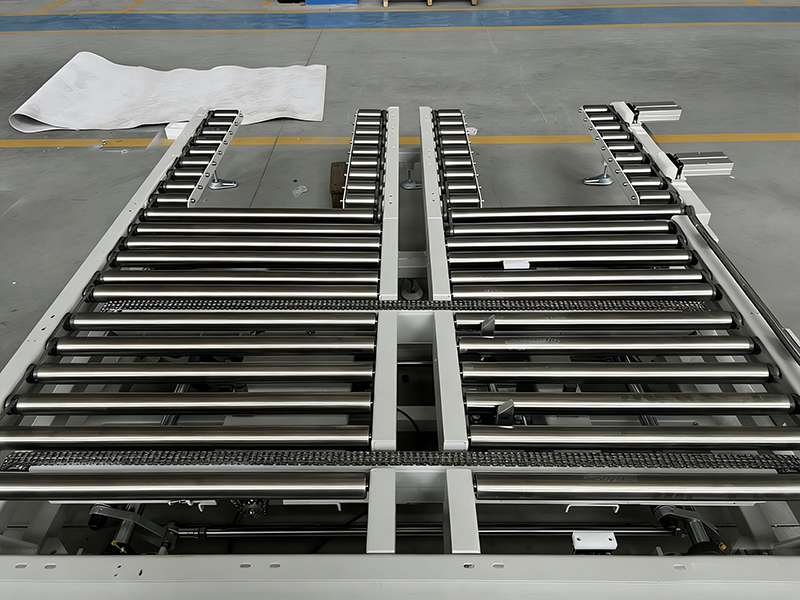
I keep seeing the same problem.
A team talks about EOL performance, but the message still feels fuzzy. One person says the product is fine. Another person worries about missed output. A buyer reads the report and still cannot tell what the real risk is. I have seen this happen in sales calls, review meetings, and customer chats. The numbers exist, but the story stays hidden.
That is where I focus my work. I want the result to feel simple, honest, and easy to check. I want the reader to know what is working, what is dropping, and what needs attention.
I start with the user’s pain.
Most people do not want a long report. They want a straight answer.
Can this product still perform well near the end of its life?
Can I trust the result?
Will I need to replace it soon?
If I cannot answer these points fast, I lose trust. So I build the content around plain facts.
I use a simple structure.
I name the problem.
I show the data.
I explain what the data means.
I give the next step.
That flow works because people can follow it without effort. It also helps search engines read the page with less confusion.
When I write about EOL performance, I keep the language plain.
I avoid vague claims.
I avoid big promises.
I avoid words that sound polished but say very little.
A line like “the unit performs well” does not help much. A line like “the unit keeps stable output after 18 months of use, with a small drop in speed under heavy load” gives the reader something real.
That difference matters.
I once worked with a client that sold industrial labels for warehouse use. Their team said the labels had “strong end-stage performance.” The phrase sounded nice, yet it did not help the buyer. The buyer wanted to know if the print stayed readable after heat, dust, and repeat scanning.
So I changed the content.
I wrote about scan rate.
I wrote about print life.
I wrote about fading after daily use.
I added a simple example from warehouse work, where a picker scans boxes all day and cannot afford a label that wears out fast.
The page became easier to read. The sales team said the calls felt smoother too, because buyers asked better questions and spent less time guessing.
That is the kind of result I want.
If I want to make EOL performance easy to understand, I follow a few steps.
I define the term early.
A reader should not spend the first half of the page trying to guess what EOL means. If I mean end-of-life, I say it. If I mean end-of-line, I say that too. Simple words save time.
I use one main metric per point.
Too many numbers can blur the message. I choose the metric that matters most for the reader. For a battery, that may be charge retention. For a machine part, that may be output consistency. For software, that may be response speed or error rate.
I show change over use.
People trust trend lines more than broad praise. I like to show where the product starts, where it sits now, and what happens after steady use. That gives the reader a path to follow.
I add a real use case.
A product does not live in a blank page. It works in a shop, a lab, a home, a truck, or a plant. When I place the product in a real setting, the reader sees the value faster.
I keep the next step easy.
If the reader needs a test, I say what to test. If they need a review, I say what to review. If they need a replacement plan, I say how to begin. I do not leave them with a nice paragraph and no action.
I also pay attention to flow.
Short sentences help.
Longer sentences help too when I need to explain a real issue or show a chain of effects.
That mix feels more human. It sounds like someone who has worked through the problem, not someone repeating a script.
Here is how I would present it in a clean way:
I want the reader to see the current status fast.
I want the reader to know what has changed.
I want the reader to see the cost of waiting.
I want the reader to feel ready for the next move.
This style works for search too. People search for direct answers. They search for signs, checks, results, and use cases. When the page gives them those items in a simple form, it fits both the reader and the search engine.
My own view is simple.
Clear EOL performance content should not sound like a lab note or an ad. It should sound like a smart person helping another person make a safe choice. That means honest data, plain words, and a clean path from problem to action.
If I do that well, the reader does not need to work hard to understand the message. They can see the point right away. And that is what makes the content useful.
Contact us on Fanny: cs-conveyor@wxcsjm.com/WhatsApp +8618921137719.
References
Womack, J P and Jones, D T (2003) Lean Thinking: Banish Waste and Create Wealth in Your Corporation
Montgomery, D C (2019) Introduction to Statistical Quality Control
Shingo, S (1986) Zero Quality Control: Source Inspection and the Poka Yoke System
Liker, J K (2004) The Toyota Way: 14 Management Principles from the World’s Greatest Manufacturer
Davenport, T H (2014) Big Data at Work: Dispelling the Myths, Uncovering the Opportunities
Kaplan, R S and Norton, D P (1996) The Balanced Scorecard: Translating Strategy into Action


August 18, 2026
What’s holding back your line may be an end-of-line solution that can’t keep up with production demands. When this final stage slows down, bottlenecks build, efficiency drops, and overall outpu
Email to this supplier
August 18, 2026